

Run your rentals on a calendar, not on chasing.
Total Tenant Control sends Tenants their Statements, collects utility Readings with photos, records payments against the right Lease and warns you before a legal Deadline passes. You keep the money. We keep the books straight.
Most small landlords run a business on a spreadsheet and good intentions.
It works until a Tenant pays late, a meter reading goes missing, or a notice window closes on a quiet Tuesday.
Chasing rent by hand
WhatsApps on the 3rd, calls on the 10th, and no record of who was reminded when.
Utility bills built from guesses
Late, blurry or missing meter readings, then a monthly account assembled at midnight.
Deadlines that slip past
The lease-expiry notice window, breach remedy periods and the Deposit refund date all depend on counting business days correctly.
Deposit disputes with no evidence
Move-out arguments with no dated photos and no clear picture of what interest the Deposit has earned.
One monthly cycle. You step in only where it matters.
Set up each Lease once. From then on, every month follows the same rhythm, and every date can be changed per Lease.
Tenants send Readings
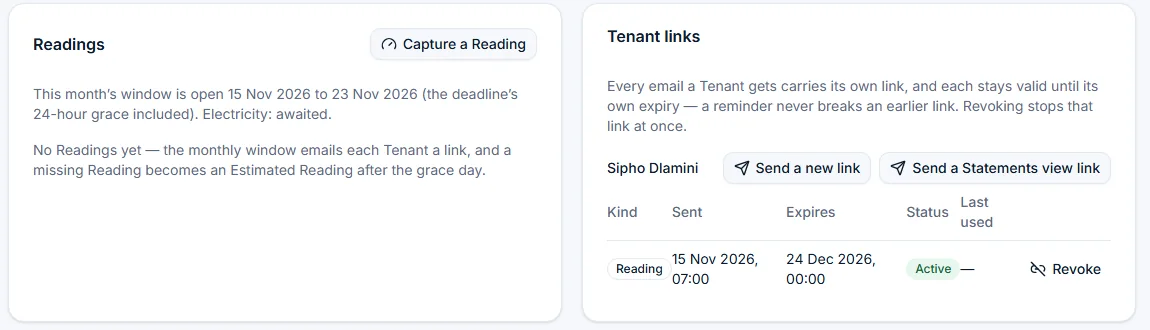
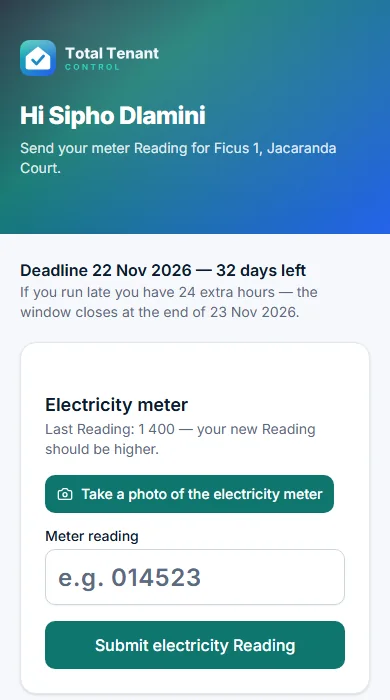
Each Tenant gets a secure link on their phone. A photo and a number take about a minute.
Reminders go out
Anyone who forgot is nudged, then given 24 extra hours. After that the previous month is used as an estimate.
You review Flags
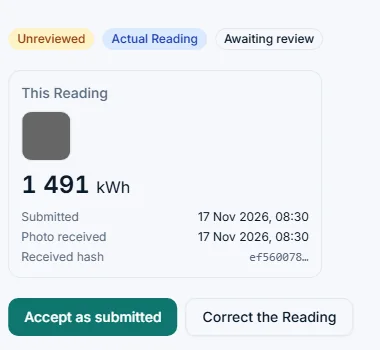
Unusual Readings are set side by side with last month and the photo. Accept or correct in a tap. Your Alerts bell tells you when there is one.
Statements are sent
Preview every draft first, or issue early. Each Tenant gets an email with the Statement PDF and a short SMS, and you see who received what.
Rent comes in
Import your bank CSV. Payments match to the right Lease and a Receipt is produced.
Fewer chases, fewer surprises, and a record that settles arguments.
Every feature exists to remove a job from your month or a risk from your portfolio. Here is what that looks like in practice.
Your evenings back
Statements, Reminders and Reading requests go out on schedule, without you. You step in only when a Flag, a payment or a Deadline needs a decision.
Rent that arrives on time
Two clear amounts on every Statement, plus an early payment discount that posts itself, give good Tenants a reason to pay early and you a calm first of the month.
Utility bills you can defend
Every Reading has a dated photo. Flagged ones are shown beside last month with when they arrived, so a disputed bill has an answer in seconds.
No legal date missed
Lease-expiry windows, breach remedy periods and Deposit refunds are counted in South African business days and raised as Alerts before they pass.
Help without handing over the keys
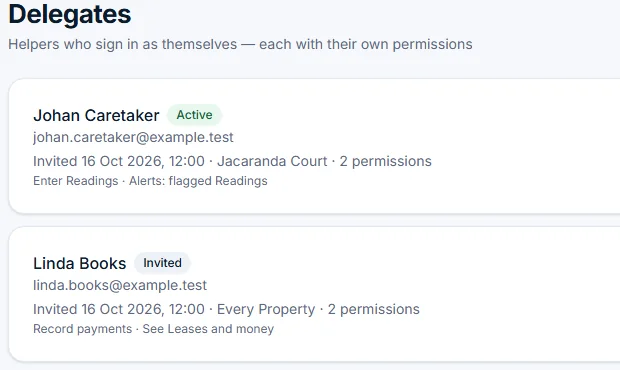
A caretaker can send Readings for one Property without seeing the money. A bookkeeper can record payments without sending Notices. Revoke either and access ends at once.
Control, not another middleman
You keep the money, nothing legal is sent without your approval, and history is never edited, so you can always say what was billed, and when.
Everything a self-managing landlord does each month, in one place.
Tenants always know exactly what to pay, and by when.
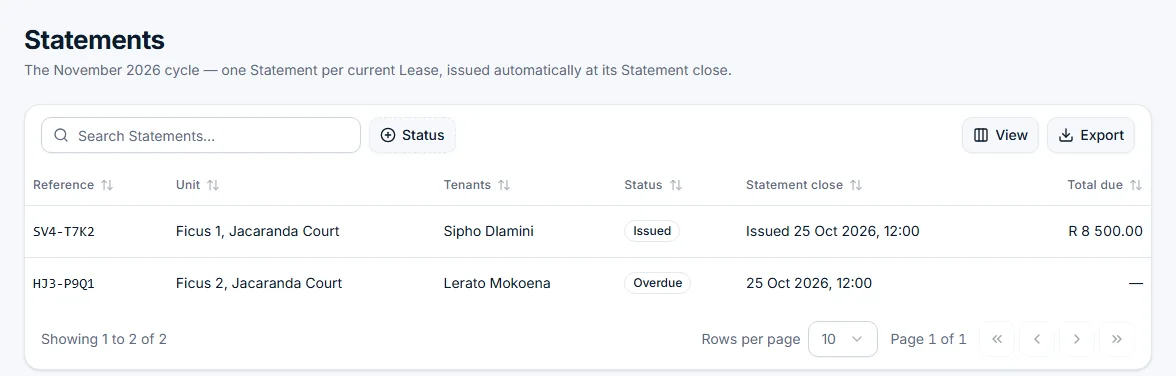
Every Statement shows Rent, utilities, other charges and the balance. It also shows two amounts: the discounted Rent if paid by the Discount cut-off, and the full Rent by the due date.
- Reward good payers with a discount you set per Lease, written into the Lease so it is contractual.
- The discount posts itself when a qualifying payment is recorded. No spreadsheet formulas.
- Tenants in arrears are shown no offer, and told why, so you never promise what you would have to refuse.
- Open the draft before Statement close, or issue it early, and see for each Tenant whether the email and the SMS went.
Photo-backed Readings, with the odd ones flagged for you.
Tenants submit a meter photo from their phone, no account needed. Anything unusual is Flagged before billing, so you check three Readings instead of eighteen.
- Every Reading carries a photo, stamped with the server upload time and a content hash.
- Missing Readings become Estimated Readings automatically, and the next actual Reading corrects them.
- Original value, photo and who changed it are kept, so a disputed bill has an answer.
- Tenant not cooperating? Capture the Reading yourself, photo included, from the Lease page.
Import your bank statement and let the reference do the matching.
Every Lease has its own short Reference. Upload your bank CSV once, map the columns once, and payments land on the right Lease. Anything that does not match waits in a short list for you.
- Importing the same file twice is harmless. Nobody is credited twice.
- Part-payments and Deposit instalments are allocated clearly, with a Receipt that shows how.
- The Ledger is append-only. Mistakes are fixed with an Adjustment, so you can always say what was billed when.
Legal dates counted properly, and flagged before they pass.
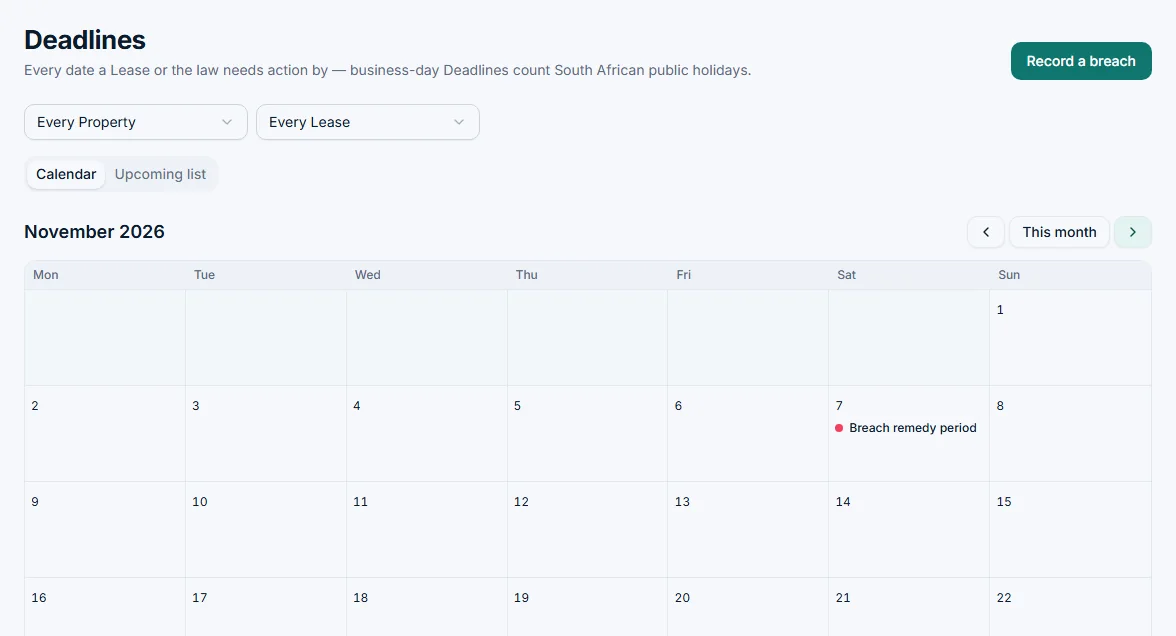
The lease-expiry notice window, breach remedy periods, the outgoing inspection and the Deposit refund date are calculated in business days using South African public holidays.
- One calendar across every Lease, in a month view or an upcoming list, filtered by Property or Lease.
- Record a breach and the remedy period is counted from the day the Notice was delivered.
- A bell at the top of every screen and an Alerts panel on your dashboard. Each person has their own read state.
- Notices are drafted for you but never sent without your approval.
- Overdue rent triggers calm, scheduled Reminders. The tone stays professional and within what your Lease provides.
Tenants do less, and get it right more often.
No app to install, no password to forget. Tenants open a link, take a photo, type a number. Opening a link never changes anything, so email and phone scanners cannot spoil it.
- Links stay valid until their own expiry. A reminder never breaks the email before it, and you can revoke any link from the Lease page.
- Each Tenant on a shared Lease gets their own link.
- To view Statements on the web, a one-time code arrives by SMS and email together. They see their Statements, Receipts and signed Lease, and nothing else.
- Occupants who did not sign the Lease are never contacted.
And the rest of the job
Lease documents and Notices
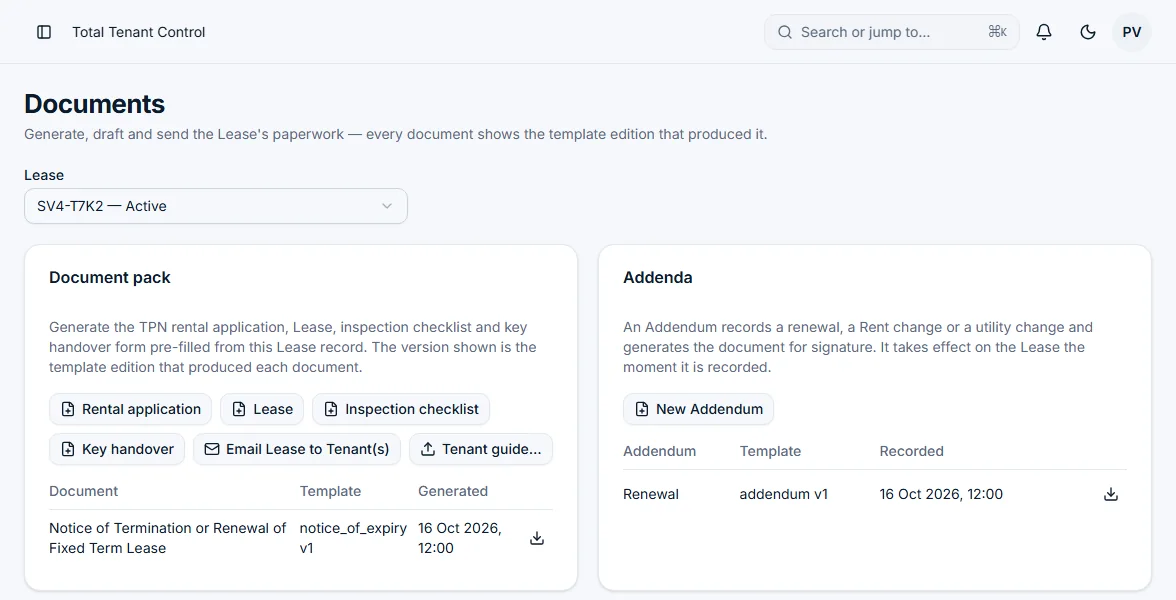
Application form, Lease, Addenda, inspection checklist and key handover form generated from the details you enter once. Draft a Notice, approve it, then send.
Deposits and interest
Track the Deposit held, instalments, top-ups after an escalation and interest earned, then issue a clear Deposit statement with itemised deductions at move-out.
Inspection photo evidence
Attach photos room by room at move-in and move-out, each stamped with the server upload time. A photo annexure PDF is ready for both parties to initial.
Rent escalations done right
Enter the yearly percentage and see every Rent period ahead. Apply a smaller increase for a good Tenant without breaching the Lease.
Caretakers and bookkeepers
Invite a helper with their own login and tick what they may do, for all Properties or only some. See what each person has done. Revoke access instantly.
Export anything
Every table exports to CSV or Excel, ready for your accountant. A summary email with an Excel attachment follows every Statement run.
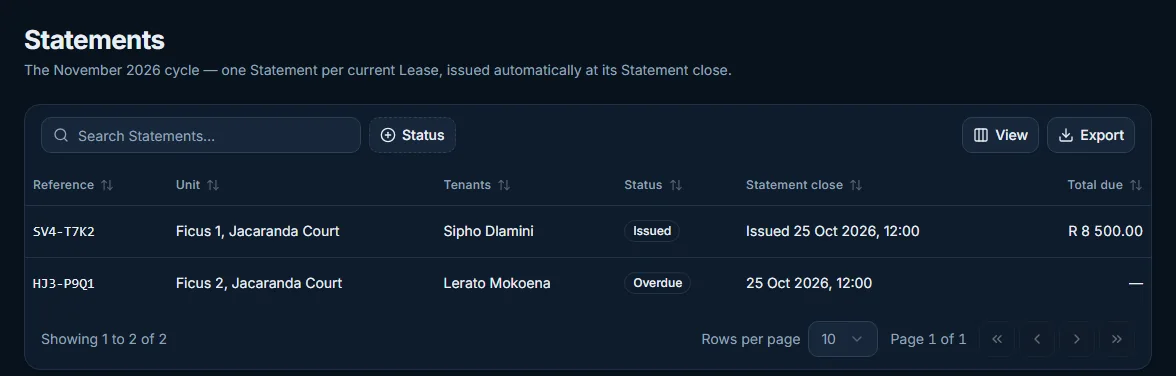
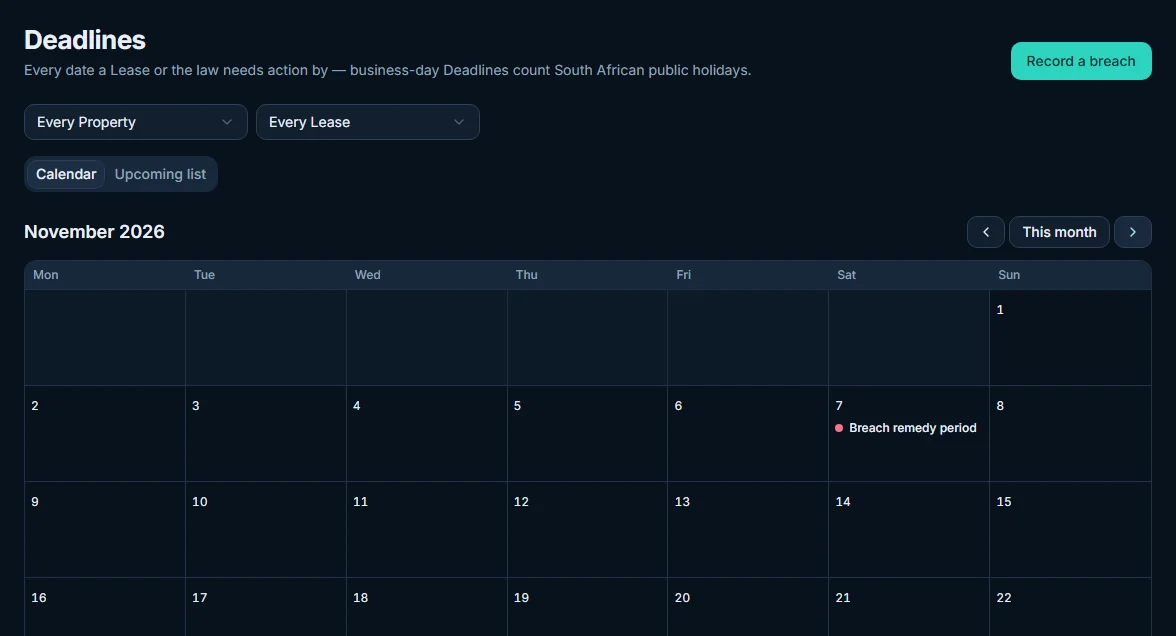
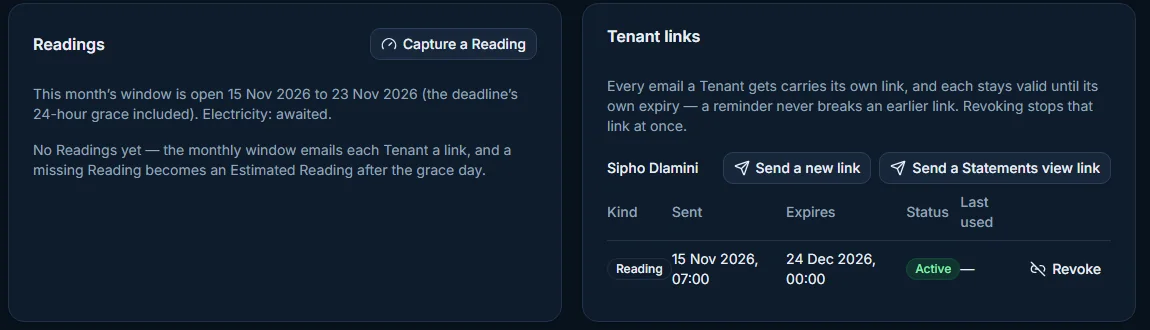
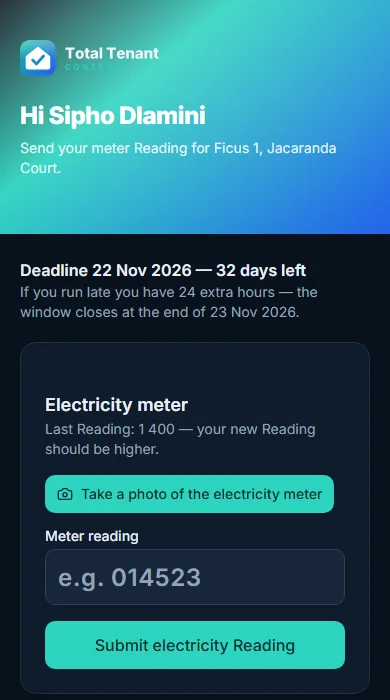
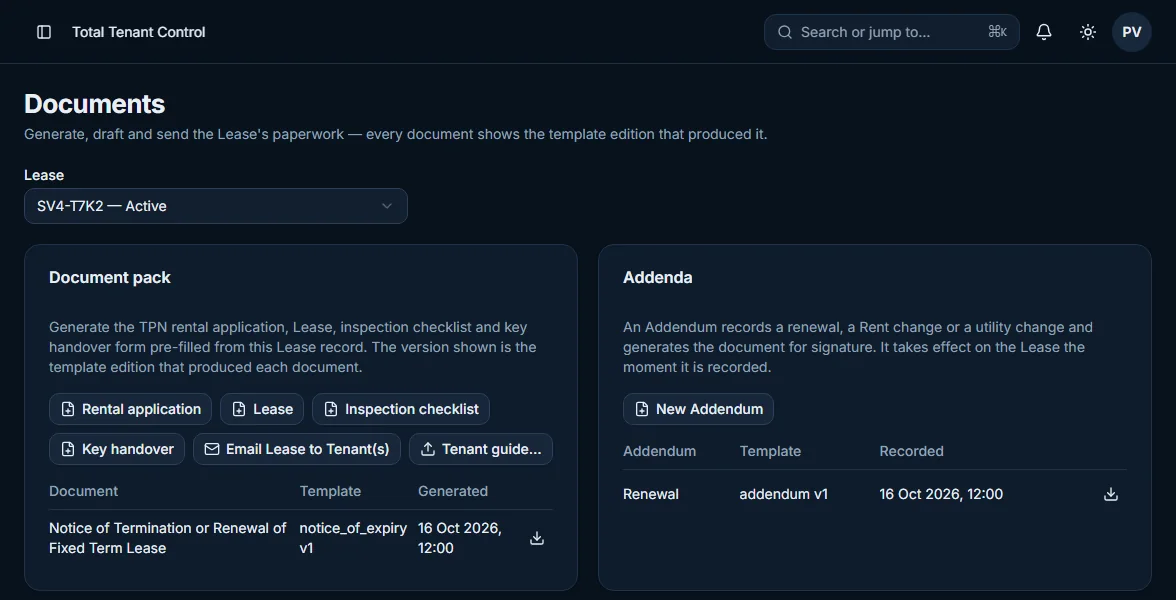
Names, addresses and amounts are made up. Switch the theme at the top to see the dark version.
Not another rent tracker. A system that runs the month.
Spreadsheets record what happened. General landlord apps help you list it. Agency platforms collect and pay out money for professionals. Total Tenant Control is built for the owner who manages their own units and wants the routine done for them.
| Spreadsheet | Generic landlord app | Agency platform | Total Tenant Control | |
|---|---|---|---|---|
| Built for South African leases and law | You build it | Often imported from elsewhere | Yes | Yes, with SA Deadlines and public holidays |
| Monthly Statement with early payment discount | Manual | Basic invoices | Rarely | Automatic, with eligibility rules |
| Photo-backed utility Readings with Flags | No | Rarely | Usually not | Yes |
| Tenants need an account | No | Often | Often | No, secure links |
| Who holds the money | You | You | The agency or platform | You, always |
| History protected from edits | Anyone can overwrite a cell | Varies | Usually | Append-only Ledger |
| Sized for 1+ units | Yes | Yes | Priced and built for portfolios | Yes, this is the focus |
General comparison of categories, not of named products. Features vary between products.
Careful with your records, and with your Tenants' information.
We never hold your money
Tenants pay you directly. The system records and reconciles. There are no trust accounts and no payment gateway between you and your rent.
Passwordless sign-in with a second factor
Sign in with an emailed link, then scan a QR code once to link the authenticator app on your phone. A recovery contact is there if you lose it. Helpers get their own logins, never yours.
Built with POPIA in mind
Sensitive documents are encrypted at rest, support staff see nothing without a time-limited grant from you, and Tenant data requests can be exported from the Lease.
A full audit trail
Every action records who did it and when, across your account and your helpers.
Nothing legal goes out unseen
Notices are drafts until you approve them. Arrears interest is offered as a proposed charge and posts only when you say so.
Messages with a record
Every email and SMS sent is logged with its status, so you can see what a Tenant was told and whether it arrived.
One simple price. Your first Unit is free.
We are working with a small group of self-managing landlords first. Pilot landlords pay the same simple price from day one and help shape the product.
per Unit per month, from your second Unit. Invite-only pilot, limited places.
- Statements, Ledger, payments and Receipts
- Readings with photos, Flags and estimates
- Deadlines calendar and Alerts
- Lease documents, Addenda, Notices and inspection photos
- Email and SMS to Tenants included
- Helpers with their own logins
R29 per Unit per month from your second Unit, with every feature included, today and as we build more. No minimum fee and no extra tiers. Your first Unit is always free, and no VAT is added. Billed on the 1st of each month. A Unit you add part-way through a month is free until the next 1st.
Straight answers
Does Total Tenant Control collect or hold rent?
No. Tenants pay you directly into your own bank account. The system records payments, matches them to Leases and keeps the Ledger. It is not a payment gateway and not a trust account.
Do my Tenants need to create an account?
No. Each Tenant receives a secure link by SMS or email. They can submit a Reading with a photo straight away. To view their Statements on the web they confirm a one-time code, sent to their cell and email together. They see their Statements, Receipts and signed Lease, and nothing else.
How many properties is it designed for?
Up to 25 Units is the focus: the owner who manages their own flats, cottages and houses. If you grow beyond that, you are not locked out. We are simply designing the first versions around smaller portfolios.
When am I charged, and what if I add a Unit mid-month?
Fees are charged on the 1st of each month for that month, for every Unit beyond your first. A Unit you add part-way through a month is free until the next 1st, so adding several Units in one day never creates several charges.
What happens if I remove a Unit or cancel?
Fees are not refunded, and you keep access to everything you have paid for until the end of that month. An archived Unit becomes read-only and its records stay available to export. If a payment fails, your first Unit keeps working and your other Units become read-only until it is paid. Nothing is deleted.
Can my caretaker or bookkeeper use it without seeing everything?
Yes. Invite them as a Delegate, tick exactly what they may do and choose which Properties they can see. A caretaker can send Readings and nothing else. A bookkeeper can record payments but not send Notices. You can see what each person did, and revoking them ends their access at once.
Can I bring Leases that are already running?
Yes. You can onboard an existing Lease with its terms, an Opening balance and the Deposit held, then start the cycle from the next month.
What happens if a Tenant does not send a Reading?
They are reminded on the Reading deadline and given 24 extra hours. After that, the previous month is used as an Estimated Reading so billing is never blocked. The next actual Reading corrects the difference automatically.
What if a Tenant loses their link?
Open the Lease and send a new one. Earlier links keep working until they expire, so nothing breaks, and you can revoke any link you no longer trust.
Is the Lease documentation legally sound?
Lease documents are generated from the details you enter, using South African residential lease templates. As with any legal document, we recommend a lawyer review your own special conditions. Notices and Statement wording about interest and fees stick to what your Lease provides.
Where is my data kept?
Records and files are stored with European providers. Sensitive documents are encrypted at rest and backed up offsite. Only you and the helpers you choose can see your Leases and Tenants.
Does it work on my phone?
Yes. The whole app is built for phones as well as desktops, including capturing Readings and photos in the field.
Get your evenings back from rent admin.
Join the pilot as a self-managing landlord with up to 25 Units. Leave your email and we will be in touch about getting your Leases set up.
We use your email only to reply about the pilot.